Have you ever plugged a USB flash drive or external hard drive into your computer and seen options like NTFS and exFAT? If so, you’re not alone. Many people feel confused because both are file systems, but they are designed for different purposes.
People usually search for NTFS or exFAT when formatting a USB drive, SSD, memory card, or external hard drive. They want to know which one is faster, which works on Windows and Mac, and which is best for storing large files like videos, games, backups, or photos.
This question often comes up at school, in the workplace, while building a gaming PC, editing videos, or setting up a new storage device. Beginners may not understand what a file system is, while experienced users want the best balance between speed, compatibility, and reliability.
If you choose the wrong format, your drive may not work on certain devices, or you may miss useful features like file security and permissions.
People usually search for:
- NTFS meaning
- exFAT meaning
- NTFS vs exFAT speed
- Which is better for USB drives?
- NTFS or exFAT for Windows and Mac?
- Best format for external hard drives
In this guide, you’ll learn the meaning, pronunciation, examples, usage, advantages, disadvantages, common mistakes, expert tips, and simple explanations in easy English.
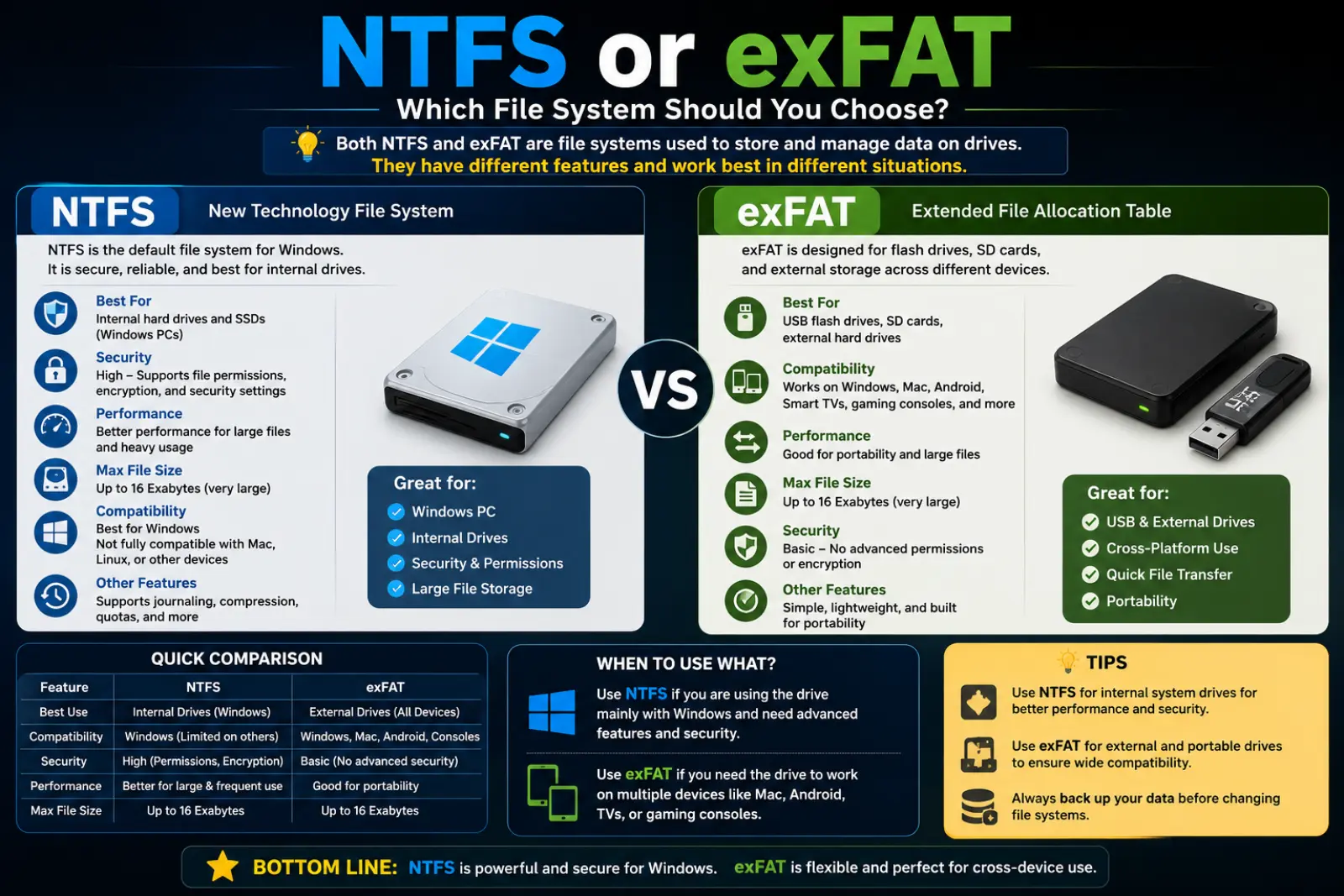
NTFS or exFAT – Quick Answer
👉 NTFS = New Technology File System
- Created by Microsoft.
- Best for Windows internal drives.
- Supports file permissions, encryption, compression, and journaling.
- Excellent for system drives and large storage devices.
👉 exFAT = Extended File Allocation Table
- Designed for removable storage.
- Works with Windows, macOS, cameras, TVs, and gaming consoles.
- Supports very large files.
- Ideal for USB flash drives and external SSDs.
Simple Rule
- Choose NTFS for Windows computers and internal drives.
- Choose exFAT if you use the drive on multiple devices.
Examples
- ✅ My Windows SSD uses NTFS.
- ✅ My USB flash drive is formatted as exFAT.
- ✅ exFAT lets me transfer large 4K videos between Windows and Mac.
- ✅ NTFS protects files with permissions.
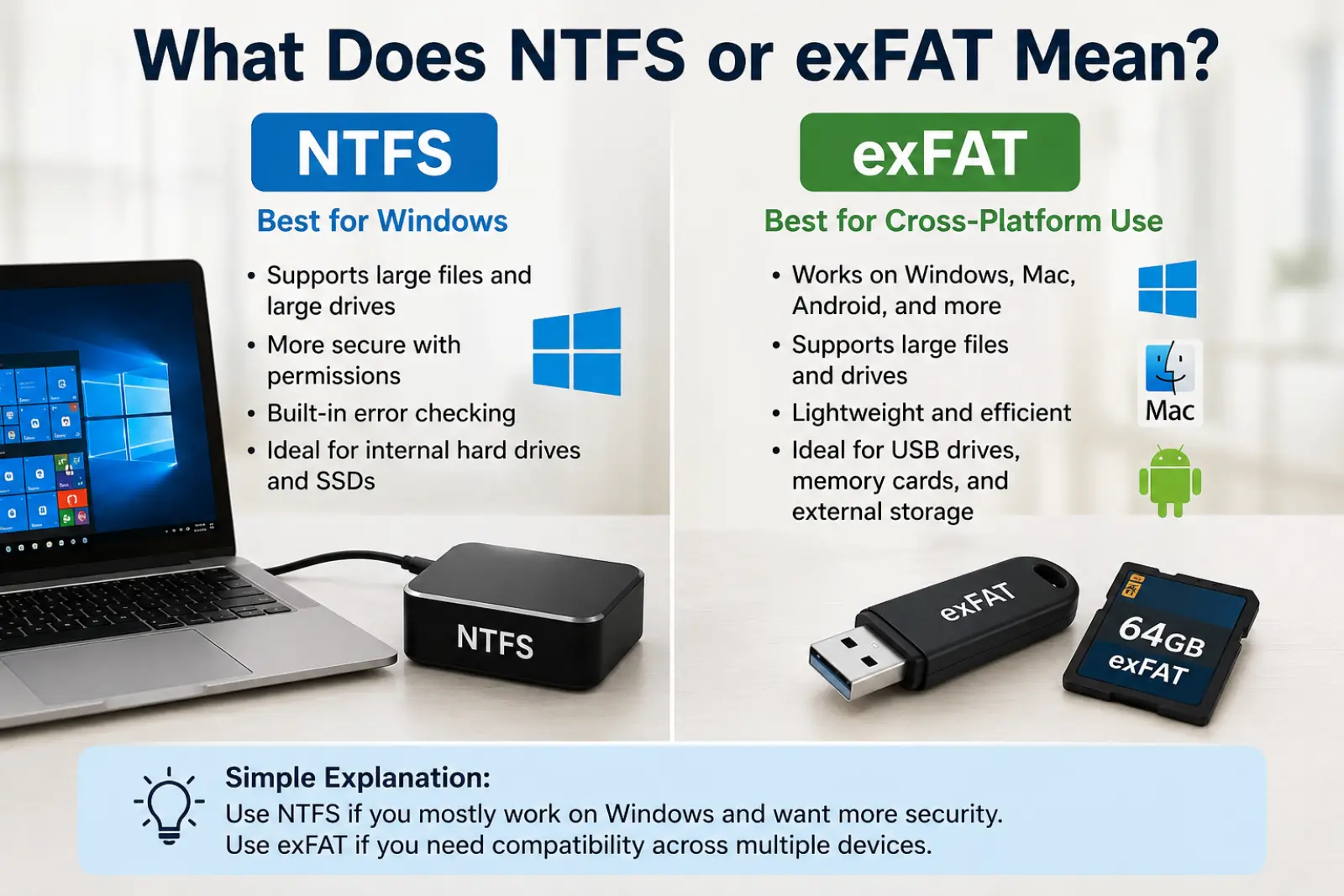
What Does NTFS or exFAT Mean?
What is NTFS?
NTFS stands for New Technology File System. Microsoft introduced it with Windows NT. It is the default file system for modern Windows computers.
It offers advanced features like:
- File security
- Permissions
- Encryption
- Disk quotas
- Error recovery
Related Terms
- Windows File System
- Internal Drive
- SSD
- Hard Disk
- File Permissions
What is exFAT?
exFAT stands for Extended File Allocation Table.
Microsoft created exFAT mainly for removable storage devices. It removes the 4GB file limit found in FAT32 while staying compatible with many operating systems.
Related Terms
- USB Drive
- SD Card
- External SSD
- Portable Storage
- Flash Drive
The Origin of NTFS or exFAT
NTFS first appeared in 1993 with Windows NT. It was designed to replace older file systems and provide better security, reliability, and support for large storage devices.
exFAT was released in 2006. It was built for flash storage devices such as USB drives, SD cards, and external SSDs. Today, it is supported by Windows, macOS, and many modern electronic devices.
How to Pronounce NTFS or exFAT
| File System | Pronunciation |
|---|---|
| NTFS | En-Tee-Eff-Ess |
| exFAT | Ex-Fat |
Easy Tip
Read each letter in NTFS, but say exFAT like one simple word.
British English vs American English Usage
| Feature | British English | American English | Notes |
|---|---|---|---|
| NTFS | Same | Same | Technical standard |
| exFAT | Same | Same | Used worldwide |
| Pronunciation | Nearly identical | Nearly identical | No major difference |
Which One Should You Use?
Choose NTFS if you:
- Use Windows only.
- Need better security.
- Store system files.
- Want file permissions.
- Need encryption features.
Choose exFAT if you:
- Use Windows and Mac.
- Move files between devices.
- Store large videos.
- Use USB drives or SD cards.
- Need maximum compatibility.
| Device | Best Choice |
|---|---|
| Windows SSD | NTFS |
| USB Flash Drive | exFAT |
| External Hard Drive | exFAT (cross-platform) |
| Windows Backup Drive | NTFS |
| Camera SD Card | exFAT |
Common Mistakes with NTFS or exFAT
Mistake 1
❌ Using NTFS for a drive shared with Mac.
✔ exFAT works better across both operating systems.
Mistake 2
❌ Thinking exFAT has the same security as NTFS.
✔ NTFS offers advanced security features.
Mistake 3
❌ Formatting a Windows system drive as exFAT.
✔ Windows system drives should use NTFS.
Mistake 4
❌ Believing NTFS is always faster.
✔ Performance depends on the device and workload.
Mistake 5
❌ Confusing exFAT with FAT32.
✔ exFAT supports much larger files than FAT32.
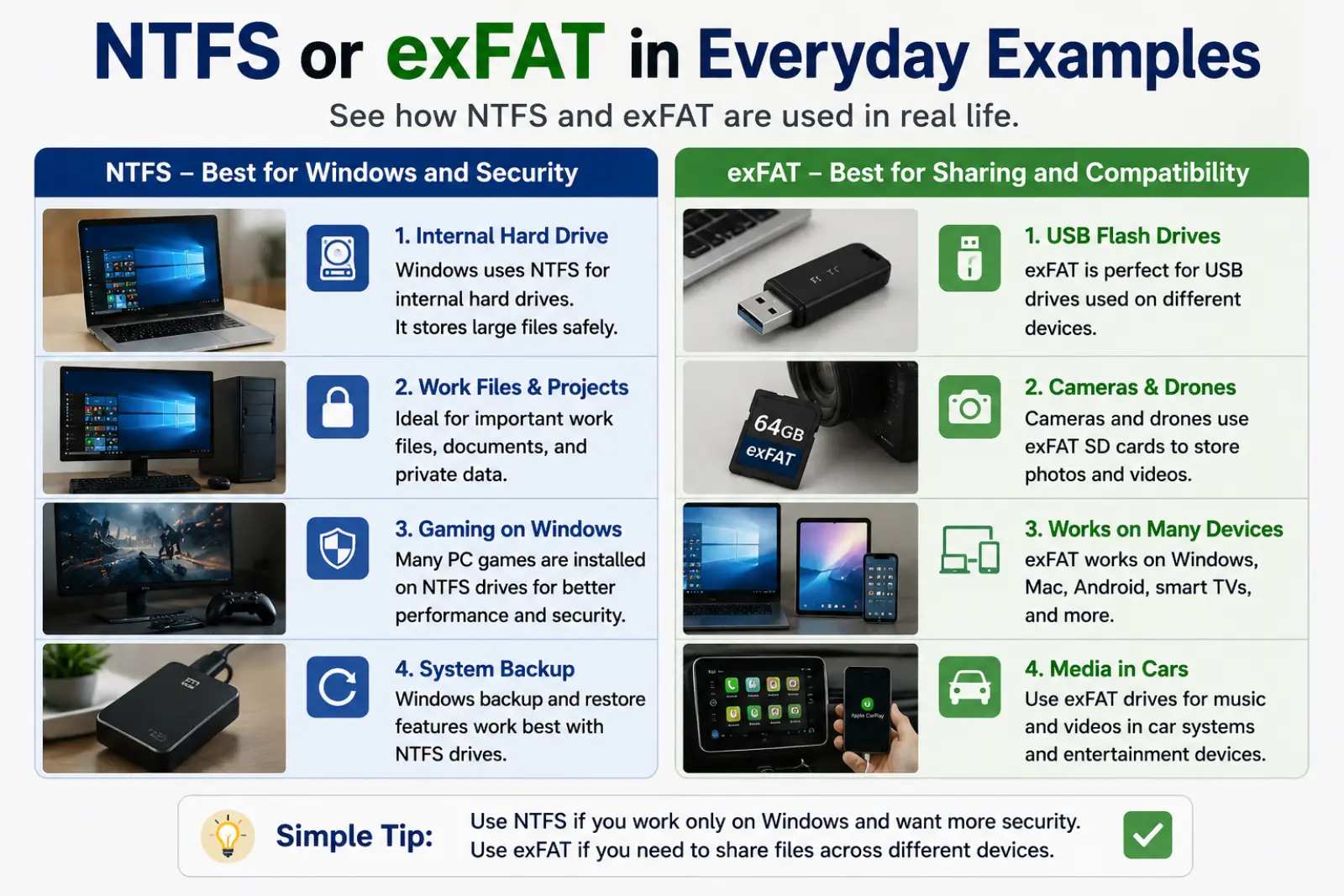
NTFS or exFAT in Everyday Examples
Work
“I formatted my external SSD as exFAT so everyone in the office could use it.”
School
“My teacher asked us to submit videos using an exFAT USB drive.”
Gaming
“Many gamers use exFAT for external storage on consoles.”
Daily Life
“I backed up my Windows laptop using an NTFS hard drive.”
“Please format the drive as exFAT before sending it.”
NTFS or exFAT in Different Contexts
Technology
Both file systems organize how files are stored and accessed.
Business
Companies often use NTFS because it provides better security and access control.
Video Editing
Creators prefer exFAT when moving large video files between Windows and Mac computers.
Gaming
External storage devices for games often use exFAT because of wide compatibility.
Google Trends & Usage Data
Searches for NTFS or exFAT continue to grow because more people use portable SSDs, USB drives, and large memory cards.
Popular searches come from the United States, United Kingdom, India, Pakistan, Canada, and Australia.
Common searches include:
- NTFS vs exFAT speed
- exFAT for USB
- NTFS for SSD
- Best format for external hard drive
- exFAT vs NTFS for gaming
Comparison Table: NTFS or exFAT
| Feature | NTFS | exFAT |
|---|---|---|
| Best For | Windows drives | Portable storage |
| Security | Excellent | Basic |
| Windows Support | Excellent | Excellent |
| macOS Support | Read only by default (writing support varies) | Excellent |
| Large Files | Yes | Yes |
| Internal Drives | Best | Not recommended |
| USB Drives | Good | Excellent |
| External SSD | Good | Excellent |
NTFS or exFAT in Professional Life
IT professionals choose NTFS for company computers because it protects sensitive files. Video editors, photographers, and designers often use exFAT to move large projects between different operating systems.
NTFS or exFAT for Students or Beginners
Beginners often worry about choosing the wrong format.
Remember:
- Windows computer only → NTFS
- Windows + Mac → exFAT
- USB drive → exFAT
- System drive → NTFS
Common Uses Related to NTFS or exFA
NTFS
- Windows installation
- Office computers
- Secure storage
- Internal SSDs
- Backup drives
exFAT
- USB flash drives
- SD cards
- External SSDs
- Cameras
- Cross-platform file sharing
Simple Trick to Remember NTFS or exFAT
Think of it this way:
NTFS is like a secure office building with locked rooms and access cards.
exFAT is like a public travel bag that works almost everywhere.
Easy memory rule:
Security = NTFS
Sharing = exFAT
Expert Tips
- Use NTFS for your Windows operating system.
- Use exFAT for portable drives shared across devices.
- Always back up important files before formatting.
- Choose the right file system based on how you will use the drive—not just speed.
- For video editing and large media files, exFAT is usually the better choice.
Related Searches People Also Ask
- Is NTFS faster than exFAT?
- Which is better for USB drives?
- Can Mac read NTFS?
- Is exFAT good for SSDs?
- Which format supports large files?
- Can I convert NTFS to exFAT without losing data?
- Is exFAT better for gaming?
- Why does Windows recommend NTFS?
- Which file system is safest?
- What is the difference between FAT32, NTFS, and exFAT?
FAQs
Is NTFS better than exFAT?
It depends. NTFS is better for Windows system drives, while exFAT is better for portable storage.
Which is faster?
The speed difference is usually small for everyday users.
Can Windows use exFAT?
Yes. Windows fully supports exFAT.
Can Mac use NTFS?
macOS can read NTFS by default, but writing support is limited without extra software.
Is exFAT good for USB drives?
Yes. It is one of the best choices.
Does NTFS support large files?
Yes. It supports extremely large files and partitions.
Which is better for external SSDs?
If you use both Windows and Mac, exFAT is usually the better option.
Can I change from NTFS to exFAT?
Yes, but formatting usually erases existing data, so back up your files first.
Final Verdict
Choose NTFS if your drive is mainly for Windows and you need security, reliability, and advanced features.
Choose exFAT if you want maximum compatibility between Windows, macOS, gaming consoles, cameras, and other devices.
Easy memory trick:
- NTFS = Windows + Security
- exFAT = Sharing + Compatibility
Conclusion
Choosing between NTFS or exFAT is easier once you know how you will use your storage device. NTFS is the best option for Windows system drives and users who need advanced security features. exFAT is the better choice for USB drives, external SSDs, SD cards, and sharing files across different operating systems.
Before formatting any drive, think about where you’ll use it most. A simple choice today can save you time and prevent compatibility problems later. The easiest way to remember is: NTFS protects your files, while exFAT helps you share them almost anywhere.

Camila Green is an English language writer who specializes in confusing word comparisons and spelling explanations. She creates simple, beginner-friendly guides on topics like “niece or neice” and other common English mistakes. Her writing focuses on clarity, real-life examples, and easy learning. At VerrsaPick, she helps readers improve their English with practical and engaging content.