If you’ve ever downloaded a photo, created a logo, or uploaded an image to a website, you’ve probably seen the file formats JPG and PNG. At first glance, they look similar because both store digital images. However, choosing the wrong format can affect image quality, file size, loading speed, and even whether the background stays transparent.
Many beginners ask whether they should save an image as JPG or PNG. The answer depends on what you’re using the image for. A photographer may prefer JPG, while a graphic designer often chooses PNG.
People usually search for:
- JPG or PNG difference
- Which is better: JPG or PNG?
- JPG vs PNG for websites
- PNG vs JPG quality
- JPG or PNG for logos
- Best image format for photos
You’ll see these image formats in school projects, business presentations, websites, social media, online stores, graphic design, and everyday computer use.
In this guide, you’ll learn the meaning, pronunciation, examples, usage, common mistakes, expert tips, and simple explanations in easy English.
JPG or PNG – Quick Answer
👉 JPG = Best for photos and smaller file sizes.
👉 PNG = Best for logos, graphics, screenshots, and transparent backgrounds.
Simple Rule
- Use JPG for photographs and faster website loading.
- Use PNG when you need sharp graphics or transparency.
Examples
- ✔ Holiday family photo → JPG
- ✔ Company logo → PNG
- ✔ Website banner with transparent background → PNG
- ✔ Social media photo → JPG
Easy Memory Trick
JPG = Photos
PNG = Pictures with Transparency
What Does JPG or PNG Mean?
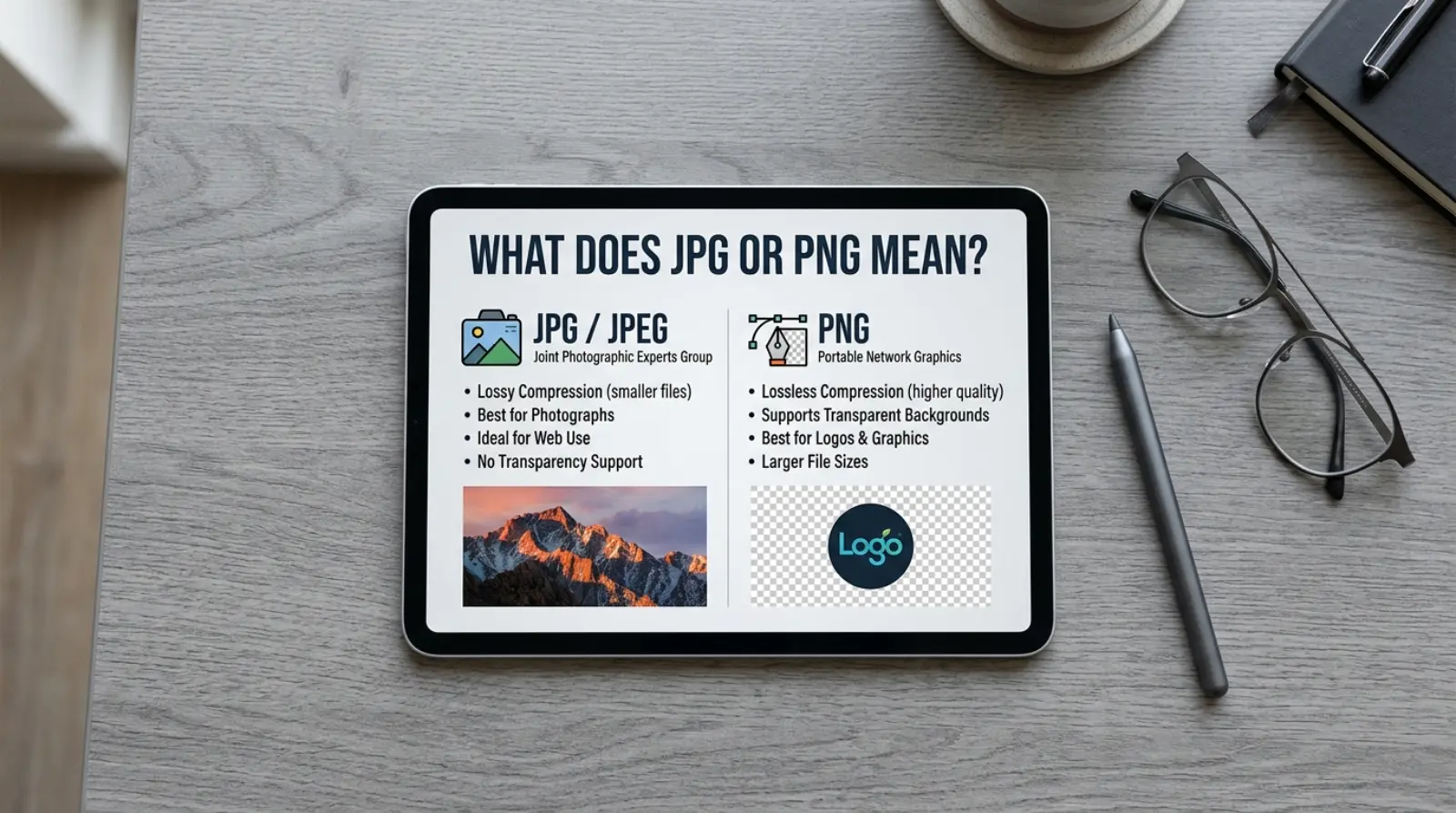
JPG (or JPEG) is a compressed image format designed for photographs. It reduces file size while keeping good image quality.
PNG (Portable Network Graphics) is a lossless image format that keeps more image detail and supports transparent backgrounds.
Related Terms
- JPEG
- Image compression
- Transparency
- Resolution
- Graphic design
- Web images
Common Variations
- JPG
- JPEG
- PNG-8
- PNG-24
The Origin of JPG and PNG
JPEG was created by the Joint Photographic Experts Group in the early 1990s to store digital photos efficiently.
PNG was introduced later as an improved alternative to GIF, offering better image quality and support for transparent backgrounds.
Today, both are among the world’s most popular image formats.
How to Pronounce JPG and PNG
| Format | Pronunciation |
|---|---|
| JPG | Jay-Peg |
| PNG | Pee-En-Gee |
Speaking Tip
Most people say “Jay-Peg” for JPG and pronounce each letter in PNG separately.
British English vs American English Usage
| Feature | British English | American English | Notes |
|---|---|---|---|
| JPG | ✔ Common | ✔ Common | Same meaning |
| PNG | ✔ Common | ✔ Common | Same worldwide |
| Usage | Same | Same | No spelling differences |
Which One Should You Use?
Choose JPG if you need:
- Smaller file sizes
- Photos
- Faster website loading
- Email attachments
- Social media pictures
Choose PNG if you need:
- Transparent backgrounds
- Logos
- Icons
- Screenshots
- High-quality graphics
Quick Guide
| Situation | Best Format |
|---|---|
| Family photos | JPG |
| Company logo | PNG |
| Website graphics | PNG |
| Blog images | JPG |
| Product photos | JPG |
| Transparent images | PNG |
Common Mistakes with JPG or PNG
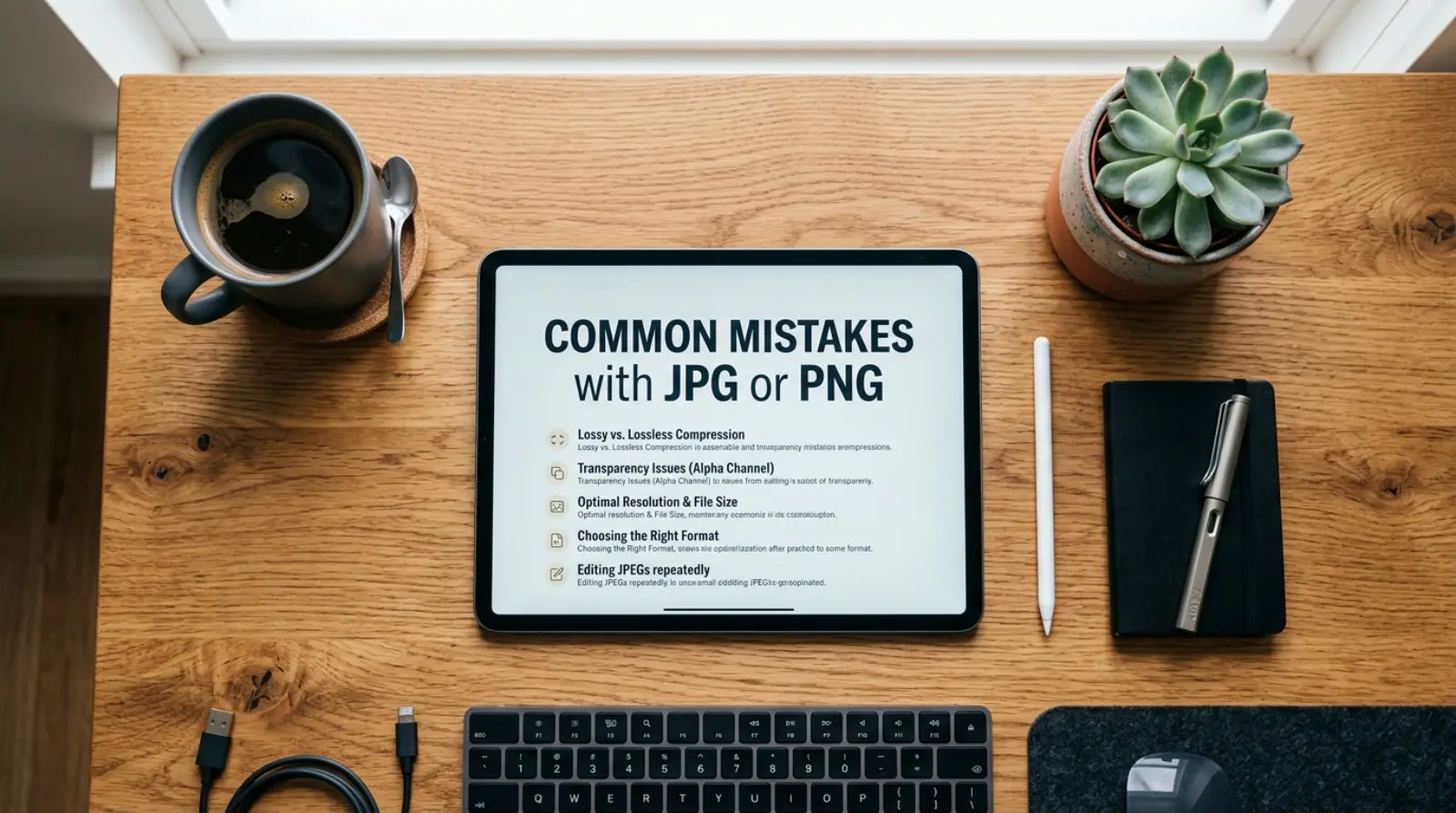
Mistake 1
❌ Saving a logo as JPG.
✔ Save logos as PNG to keep sharp edges.
Mistake 2
❌ Using PNG for every photo.
✔ JPG usually creates much smaller files.
Mistake 3
❌ Expecting JPG to support transparency.
✔ Only PNG supports transparent backgrounds.
Mistake 4
❌ Uploading huge PNG files to websites.
✔ Use JPG for large photographs to improve loading speed.
Mistake 5
❌ Believing PNG is always better.
✔ The best format depends on the type of image.
JPG or PNG in Everyday Examples
School
“I saved my presentation photos as JPG.”
Work
“Our designer exported the company logo as PNG.”
Social Media
“I uploaded my travel photos in JPG format.”
Website
“The website uses PNG icons with transparent backgrounds.”
“I compressed the photo into JPG before sending it.”
JPG or PNG in Different Contexts
Photography
JPG is the preferred format because it keeps file sizes small while maintaining good quality.
Graphic Design
PNG is ideal for logos, icons, and illustrations that need sharp edges.
Website Development
Many websites use JPG for photos and PNG for graphics to balance speed and quality.
Google Trends & Usage
Searches for JPG or PNG remain popular because people create websites, edit photos, upload images, and manage online stores.
Popular searches include:
- JPG vs PNG quality
- PNG or JPG for websites
- Best format for logos
- PNG vs JPG file size
- Which image format should I use?
These searches are common in the US, UK, India, Pakistan, Canada, and Australia.
Comparison Table
| Feature | JPG | PNG |
|---|---|---|
| Best for | Photos | Graphics & logos |
| File size | Smaller | Larger |
| Transparency | ❌ No | ✅ Yes |
| Image quality | Good | Excellent |
| Website photos | Excellent | Good |
| Logos | Fair | Excellent |
JPG or PNG in Professional Life
Understanding image formats helps professionals:
- Build faster websites.
- Create better marketing materials.
- Design professional logos.
- Improve image quality while saving storage space.
Businesses often use JPG for product photos and PNG for branding elements.
JPG or PNG for Beginners
Many beginners think one format is always better than the other. In reality, each format has a different purpose.
Easy Tips
- Use JPG for photographs.
- Use PNG for graphics with text or transparency.
- Don’t convert every image to PNG unless you need its extra features.
Common Uses
JPG
- Digital photos
- Blog images
- Product pictures
- Social media photos
- Email attachments
PNG
- Company logos
- Website icons
- Screenshots
- Infographics
- Transparent graphics
Simple Trick to Remember JPG or PNG
Think of it this way:
- JPG = Journey Photos (perfect for everyday pictures).
- PNG = No Background (great for transparent images).
This simple trick makes it easy to choose the right format.
Expert Tips
- Compress JPG images before uploading them to websites.
- Use PNG only when transparency or sharp graphics are important.
- Avoid saving the same JPG repeatedly, as repeated compression can reduce quality.
- Choose the smallest file that still looks good for faster website performance.
- Keep original high-quality images as backups before compressing them.
Related Searches People Also Ask
- What is the difference between JPG and PNG?
- Which format has better quality?
- Is PNG better than JPG?
- Which format is best for logos?
- Can JPG have a transparent background?
- Why are PNG files larger?
- Which image format loads faster?
- Is JPG good for websites?
- Should screenshots be saved as PNG?
- Which format is better for social media?
FAQs
Is JPG better than PNG?
It depends. JPG is better for photos, while PNG is better for graphics and transparency.
Which format has a smaller file size?
JPG usually has a much smaller file size.
Does PNG support transparency?
Yes. PNG supports transparent backgrounds.
Can JPG have transparency?
No. JPG does not support transparency.
Which format is best for logos?
PNG is usually the best choice.
Which format is best for photographs?
JPG is ideal for most digital photos.
Can I convert JPG to PNG?
Yes. Many image editors and online tools allow you to convert between formats.
Which format is better for websites?
Use JPG for photos and PNG for logos, icons, and transparent graphics.
Final Verdict
There is no single winner in the JPG or PNG comparison.
- Choose JPG for photos, smaller file sizes, and faster loading.
- Choose PNG for logos, graphics, screenshots, and transparent backgrounds.
The right choice depends on how you plan to use the image.
Conclusion
Understanding the difference between JPG or PNG helps you create better-looking images and improve website performance. JPG is the best choice for photographs because it keeps file sizes small while maintaining good quality. PNG is ideal for graphics, logos, and any image that needs a transparent background.
The easiest way to remember is: JPG for photos, PNG for graphics. Following this simple rule will help you choose the right image format every time.

Camila Green is an English language writer who specializes in confusing word comparisons and spelling explanations. She creates simple, beginner-friendly guides on topics like “niece or neice” and other common English mistakes. Her writing focuses on clarity, real-life examples, and easy learning. At VerrsaPick, she helps readers improve their English with practical and engaging content.